
Stop Over-Rendering Your Character Concept Art
Professional studios run on a clock that most hobbyists never see. A lead artist needs three full variations by lunch, while you might spend ten hours perfecting a single eye. This pressure forces a shift in how you view your canvas. You create production maps for teams instead of illustrations for fans. High-level concept art functions as a solution for a design problem, providing a visual answer that allows 3D modelers and animators to begin their work.
Artists who struggle often fall into the trap of over-polishing too early. They built a house before checking the foundation. This wasted effort creates a backlog that stalls the entire pipeline. Skill comes from knowing which details provide value and which ones just eat your time. This guide shows you how to build professional character design results using streamlined digital painting methods that meet modern industry standards.
The Foundation of Fast Concept Art: Research and Moodboarding
Great designs begin long before the brush touches the tablet. Skipping the research phase leads to creative stalling, a state where you stare at a blank canvas hoping for inspiration. Professional studios like Naughty Dog and Ubisoft require artists to maintain organized reference boards to prevent this exact issue. Research saves you from guessing about the world your character inhabits.
Building a Visual Library
Professional artists utilize PureRef to manage their visual libraries. This dedicated reference viewer keeps your screen clean while displaying hundreds of images at once. These libraries should include real-world anatomy, historical costume references, and specific material textures like hammered bronze or weathered leather. Pre-production research saves hours of guessing during the digital painting phase because you already know how light interacts with specific surfaces.
Ralph McQuarrie used this approach when he began his work on Star Wars on January 31, 1975. He pulled from his background in technical illustration at Boeing to create a used future look. This grounded his concept art in reality, making the fantastical elements feel believable. If you build a library first, you spend your energy on design choices rather than trying to remember what a medieval boot looks like.
Translating the Brief into Shapes
Before sketching, extract specific keywords from the client brief. If a brief describes a sturdy, ancient protector, your mind should immediately pivot to heavy, square shapes. These keywords act as a compass for the initial aesthetic. Instead of drawing a person, you draw a feeling using visual shorthand. This step eliminates the risk of finishing a piece only to realize it fails the client’s core vision.
Using Large Shapes to Define Concept Art Early
Speed comes from moving from Big to Small. You must establish the primary read of the character before you worry about skin pores or belt buckles. Many beginners often ask if concept art is the same as character design anyway. While they are related, concept art is the broad exploration of ideas and moods, whereas character design focuses on the specific visual blueprint of a single figure for production.
Focusing on the silhouette ensures the character remains recognizable even in shadow. According to an article by Mages Studio, the silhouette serves as the first psychological checkpoint in character design because the brain recognizes shape before detail. This is the silhouette test used by industry giants like Disney and Valve. If the viewer cannot identify the character by their shadow alone, the design lacks clarity. The Lasso tool (L) and large-head brushes allow for the creation of 5-10 distinct silhouettes within a 60-minute window. This rapid-fire approach lets you explore extreme proportions without committing to a single idea.
The same source explains that character perception is tied to basic geometry, where rounded forms feel safe and friendly, whereas sharp angles appear aggressive. It also points out that heavy, square shapes feel grounded and immovable. The Lasso Tool plus the Fill command (Alt+Backspace) allows you to create these solid shapes instantly. This method works roughly 4x faster than using a standard brush for blocking in silhouettes.
Using 3D Block-Outs for Anatomical Accuracy
Modern AAA pipelines for games like God of War or Horizon Forbidden West rarely start with a pure 2D sketch. Artists use a 3D-to-2D workflow to solve difficult problems like perspective and anatomy. Tools like Blender or ZBrush allow you to pose a basic mannequin in seconds. This provides a perfect skeleton for your digital painting, removing the need for constant anatomical corrections.
Eliminating Perspective Guesswork
Using a 3D mannequin gives you a solid foundation for your character design. You no longer have to guess how a shoulder plate looks from a low-angle shot. A simple 3D block-out establishes the horizon line and vanishing points automatically. Research published in the ACM Digital Library states that 3D modeling naturally maintains correct perspective and spatial relationships, ensuring structural integrity across different angles, which is a requirement for production-ready design.
The FZD School of Design, founded in 2009 by Feng Zhu, emphasizes this draw through methodology. Plotting objects in 3D space ensures every piece of armor and every limb sits correctly on the form. This discipline prevents the flat look that often appears in amateur portfolios. It also makes the move to the 3D modeling department much smoother.
Lighting the Scene in 3D
A quick 3D render provides an instant light-and-shadow guide. You can move a virtual light source around your character to see exactly where the core shadows and highlights fall. This saves hours of manual shading because you are essentially tracing the physics of light. NVIDIA’s GPU Gems describes how ambient occlusion maps approximate how exposed each point in a scene is to ambient lighting, which helps simulate realistic shadowing in crevices. These can be baked alongside Curvature maps to use as a base for your digital painting. This provides a realistic lighting foundation that would otherwise take ten or more hours to paint by hand.
Streamlining Your Digital Painting Process
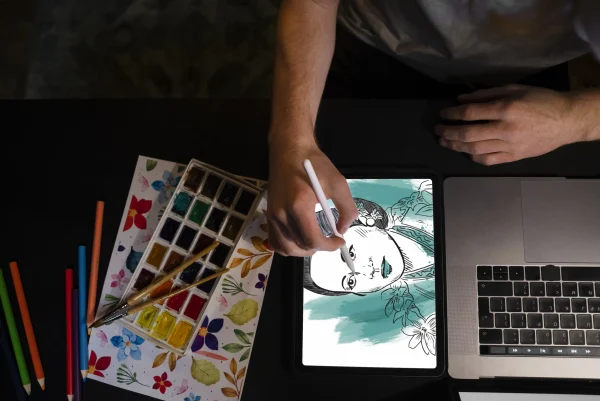
Speed in concept art requires a deep understanding of your software. Photoshop 1.0 was released on February 19, 1990, and it changed the industry by democratizing high-end retouching. Since then, the tools have evolved to favor non-destructive workflows. A common hurdle for newcomers is wondering how to get faster at digital painting without losing quality. The secret lies in becoming proficient with your software's hotkeys and utilizing texture brushes to imply detailed features like fur or chainmail instead of drawing every stroke.
Custom brushes are a production necessity rather than a form of cheating. If you need to paint a character wearing a chainmail shirt, you should use a pattern brush rather than drawing every individual ring. This saves four to six hours per piece. The smudge tool and the Lasso Fill technique also allow for a more painterly look with less effort. You focus on the artistic direction while the tools handle the repetitive labor.
Non-destructive milestones in software like Photoshop CS3 introduced Smart Filters. These tools allow you to iterate on character design elements without permanently altering your pixels. You can change the size of a weapon or the length of a cloak at any time. This flexibility is vital when an art director requests a major change five minutes before a meeting.
Strategic Color Application and Gradient Maps
Color choice often slows artists down because the options are infinite. To combat this, pros use a limited color gamut. Restricting yourself to a few key hues reduces decision paralysis. This keeps the design cohesive and ensures the character stands out against the game or film environment.
The Three-Color Rule for Character Palettes
Limit your initial palette to three main colors. One color should occupy 60% of the design, a secondary color 30%, and an accent color 10%. This creates a balanced visual hierarchy that is easy for the viewer to process. It also makes it much faster to adjust the look later if the client wants a different vibe for the character.
Professional artists often use a color-blending mode layer on top of a grayscale painting. While color is noticeable, value contrast is the primary factor in visual readability, as noted by the Interaction Design Foundation. This ensures the luminosity of the character remains consistent even as you swap hues. If your values are correct, almost any color palette will work.
Using Gradient Maps for Instant Mood
Gradient Maps allow you to map specific colors to grayscale values. This is a non-destructive tool that can transform a black-and-white sketch into a full-color painting in seconds. Presenting five different color schemes for a character design takes under ten minutes using this method. This speed is essential for high-frequency feedback loops in a studio setting.
Adjusting the stops on a gradient map allows you to control the move between shadows, midtones, and highlights. This provides a level of color control that manual painting simply cannot match. It also ensures that your shadows stay cool and your highlights stay warm, or vice versa, maintaining a professional color temperature throughout the piece.
Iterative Refining: Keeping It Concept, Not Illustration
The biggest time-sink for most artists is over-rendering. They spend hours on skin textures that no one will see in the final game. According to a report by Investopedia regarding the Pareto Principle, roughly 80% of effects come from 20% of the causes, which suggests that artists can achieve the majority of their results with a small portion of the total effort. Concept art aims to communicate an idea rather than create a masterpiece for a gallery wall.
Knowing When to Stop Rendering
A design is finished when the 3D modeler has enough information to build it. If the materials are clear and the shapes are defined, move on. Professional artists stop rendering once the read is established. Excessive detail can actually confuse the production team and make the character harder to translate into 3D.
Focus your detail on the areas of interest, which are usually the face and the primary weapons. Leave the boots and the back of the character with less detail. This guides the viewer's eye to the most important parts of the character design. It also keeps your file sizes manageable and your workflow fast.
Photo-Bashing for High-Fidelity Details
Photo-bashing emerged in the late 1990s as a way to meet the demand for photo-real imagery. This technique involves taking real-world photos and blending them into your digital painting. A complex character that would take 60 hours to paint from scratch can be delivered in 12 hours using photo-bashing. It adds a gritty realism and believable texture that is difficult to achieve by hand.
The r/digitalpainting community once debated if photo-bashing was real art. In a professional studio, that debate doesn't exist. It is a vital industrial tool. You use it to add leather grain, metal scratches, or fabric folds instantly. As long as the final image looks cohesive, the method used to get there is irrelevant to the production pipeline.
Managing Concept Art Assets for Team Workflows
When you work in a studio, your files are not just for you. They are shared assets. If a team member opens your file and cannot understand the layers, you have failed. High-speed workflows depend on organization and clarity. When deadlines are tight, the industry standard involves combining a 3D block-out with photo-bashing and paintover techniques to reach high fidelity in a fraction of the time.
Organization prevents you from wasting time searching for a specific layer. Following naming standards like ISO 13567 ensures everyone on the team can navigate your work. Layers should be named logically, such as CHR_Hero_Armor_Front. This level of discipline seems stuffy, but it saves hours of frustration during the revision process.
Non-destructive editing is your best friend. Use masks instead of the eraser tool. If a lead artist asks you to bring back a piece of the cape you just removed, a mask allows you to do it in one click. If you erased it, you have to repaint it. This small habit separates the amateurs from the pros who can handle 50+ revisions without breaking a sweat.
Final Polishing and Presentation Secrets
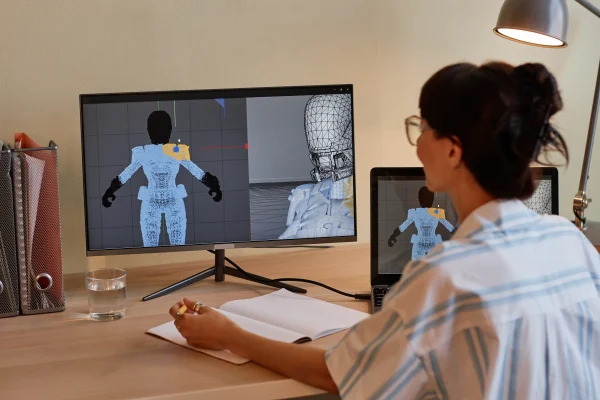
A professional art presentation is vital to selling a design to stakeholders. Presentation is everything in the world of professional art. You need to present your character design in a way that looks like a finished product, even if the painting itself is rough in some areas.
Adding FX and Atmospheric Depth
Use blending modes like Color Dodge or Linear Dodge to add glowing effects to magic or tech elements. A light layer of Noise or Grain can tie the photo-bashed elements and the hand-painted elements together. These final touches create a cohesive look that feels professional. You can also add a slight Bloom to the highlights to simulate a real camera lens.
Atmospheric depth helps the character sit in a space. A simple gradient at the feet of the character can ground them, making them feel like a 3D object rather than a flat sticker on a page. These tricks take seconds but significantly increase the perceived value of your concept art.
Creating the Turnaround Sheet
A production-ready package must include a turnaround sheet. This shows the character from the front, side, and back. Using your 3D block-out as a guide for each angle speeds up this process. You also need an Expression Sheet to show how the character moves and emotes. These deliverables are what the 3D modelers actually use to build the character for the game.
At this stage, your digital painting should be clear enough that no questions remain about how the character's gear works. You are providing a manual for the rest of the team. A well-organized turnaround sheet is the final sign of a professional workflow.
Dominating the Industry with Fast Concept Art
Gaining speed in this field is about making better choices, not just moving your hand faster. Preparation through visual libraries and 3D block-outs eliminates the guesswork that slows most artists down. Using the Lasso tool for shapes and photo-bashing for texture allows you to bypass the tedious hours of manual rendering. These techniques ensure your character design is both high-quality and production-ready.
The industry values artists who can deliver multiple high-level options on a tight deadline. Your ability to use digital painting shortcuts like gradient maps and custom brushes will set you apart from those who insist on doing everything the hard way. Success in this field comes down to solving visual problems productively. Start by implementing one of these speed hacks in your next concept art project, and watch your productivity move from hobbyist to professional.
Recently Added
Categories
- Arts And Humanities
- Blog
- Business And Management
- Criminology
- Education
- Environment And Conservation
- Farming And Animal Care
- Geopolitics
- Lifestyle And Beauty
- Medicine And Science
- Mental Health
- Nutrition And Diet
- Religion And Spirituality
- Social Care And Health
- Sport And Fitness
- Technology
- Uncategorized
- Videos

