

Why Old E-Readers Lose Kindle Store Access
Your e-reader still turns on. The battery still charges. The screen still shows text sharp and clear. But on May 20, Amazon cut off Kindle Store access for roughly 2 million older devices. No new books. No browsing. No downloads. The hardware works fine. The store simply refuses to talk to it anymore. According to Amazon customer service guidelines, this shutdown affected 11 specific Kindle and Fire tablet models. A report from The Guardian puts the number at about 3% of the total user base, or roughly 2,000,000 units worldwide. Owners of these devices now face a real choice: accept a limited offline experience or trade in before the promotional window closes.
The Technical Wall Behind Kindle Store Access
Amazon's reason is straightforward: aging hardware can't keep up with modern internet standards. The chips and antennas inside a 14-year-old e-reader were not built for current encryption protocols or high-speed data transfers. As the internet has moved toward stronger security and faster connections, older devices simply lack the processing power to handle those demands. Analyst Paolo Pescatore points out that maintaining legacy hardware creates real security risks, and at some point, the cost of keeping those old connections open outweighs the benefit of supporting 3% of users. So Amazon cut those connections.
The Kindle Store, which runs on server-side infrastructure Amazon controls, stopped recognizing those older devices on May 20. The hardware often outlasts the service it depends on. Some users still own functional Kindle Touch units from 2013 or even older Generation 3 models. Those devices still hold a charge and flip pages perfectly. But their path to the digital bookstore is now closed. If you're not sure whether your device is affected, check your email for a direct notification from Amazon or look for your model on the official list of legacy devices. Amazon sent proactive communications to US-based owners ahead of the May 20 deadline to give them time to prepare.
Why 2 Million Units Become Instant E-Waste
A working battery means nothing when the cloud stops recognizing the device. When a device loses Kindle Store access and can no longer perform its main job, buying and downloading books, many users throw it away. Critics like Ugo Vallauri from the Restart Project argue that brands regularly use performance improvement claims to justify disabling electronics that still work. The result is an estimated 624 tons of electronic waste, a number that sits in sharp tension with global sustainability goals.
Amazon offers a 20% discount and digital book credits to push users toward upgrades. But those incentives don't stop old plastic from hitting the landfill. The hardware still functions. The software lockout makes it feel like a paperweight. That said, The Guardian reports that users can still read any books already downloaded to the device before the May 20 cutoff. This offline mode keeps the device usable as a reading tool, even though it loses its role as a storefront. For readers who relied on the instant-purchase convenience, that still feels like a significant downgrade from what they originally bought..
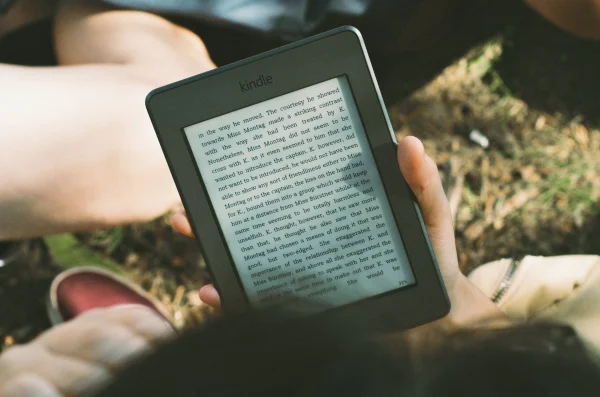
Image Credit - by Tatsuo Yamashita, CC BY 2.0, via Wikimedia Commons
The End of the Physical Button Era
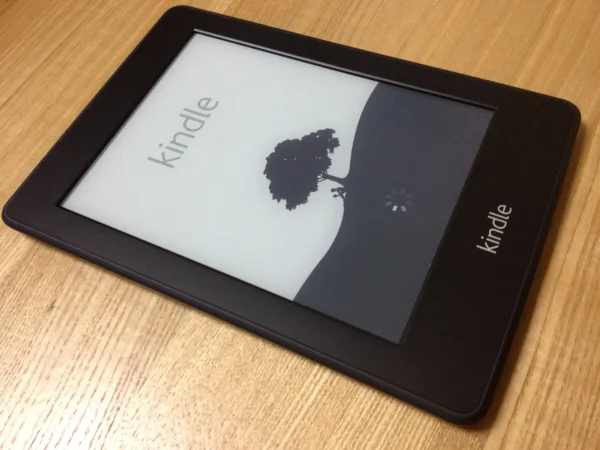
This isn't just a technical change. For many users, it's the loss of a specific kind of device they genuinely loved. Many affected owners are loyal to Generation 3 hardware specifically because of the Kindle Keyboard. These older models came with physical page-turn buttons and a full QWERTY keyboard for notes. Modern replacements run on touchscreens, which some long-form readers find less reliable and more prone to accidental taps. X users have been vocal about this, arguing that physical buttons made reading easier and less distracting.
For these readers, the "upgrade" feels like a step backward in usability. New models also often include ad-supported lock screens, which pushes away users who preferred the clean simplicity of early 2010s e-readers. Users like Kay Aaronricks have highlighted how these older devices beat paper books for practicality. When those devices lose the ability to sync new content, it feels like a betrayal of that utility. Amazon provided nearly two decades of support, which is a long time in the tech world. But the abrupt loss of Kindle Store access still stings for users who reject disposable tech culture.
Can You Still Use A Kindle That Lost Store Access?
Yes, but only for content already on the device. The Guardian confirms that any books downloaded before the May 20 deadline remain readable in offline mode. The device works as a reading tool. What it can no longer do is browse, buy, or download new content directly from Amazon. If you perform a factory reset or deregister the device after the deadline, you lose the ability to log back into your account on that hardware, making even your existing cloud library unreachable on that specific device.
How Software Bricking Changes Your Library
Amazon's support pages make one thing clear: a factory reset after the May deadline causes permanent, irreversible loss of functionality on the old hardware. Once you deregister or reset the device, it cannot log back into your Amazon account. That means you can no longer download even the books you already paid for onto that specific device. For legacy owners, this creates a strange kind of frozen ownership. To keep your books, you must never reset the device. If the software glitches or storage corrupts, you cannot recover your purchases on that hardware.
Wired notes that your purchased books remain safe in your digital library and are accessible on newer Kindles, the Kindle app, or the Kindle Cloud Reader. The lockout only blocks the old hardware from talking to the store servers. It does not delete your paid content. Still, losing direct hardware-to-store connectivity changes what the device fundamentally is. It shifts from an independent library to a tethered viewing tool that depends entirely on whatever you happened to download before May 20.
Navigating the Promotion Deadlines
Amazon built two deadlines into this rollout, and both matter if you're considering an upgrade. The first is May 20, when Kindle Store access ended for affected devices. The second is June 20, when the promotional credits for new hardware purchases expire. According to The Verge, users who wait past June 20 lose the financial incentive to stay in the Amazon ecosystem.
That narrow window was deliberate. Setting hard deadlines for store termination and credit expiration ensures that the 3% of affected users either upgrade fast or accept a permanently limited device. Some users refuse to go along with it. They would rather keep a device with physical buttons than switch to a modern one with a better screen but more advertisements. That preference reveals a real gap between what readers want, simple and durable tools, and what manufacturers want, data-rich, upgradable platforms. For someone who values the feel of a 2011 Kindle Keyboard, promotional credits rarely close that gap.
Why did Amazon Remove Kindle Store Access from Older Devices?
Amazon cites the technical limitations of aging hardware. Older chips and antennas cannot handle current security protocols or modern data transfer speeds. Analyst Paolo Pescatore notes that maintaining legacy hardware creates security risks, and the cost of keeping those connections alive eventually outweighs the benefit of supporting a small percentage of users. When the server-side infrastructure moves forward, hardware that cannot keep up loses access.
The Conflicting Timelines of Support
The exact end date for Kindle Store access has caused some confusion. Most communications point to May 20, 2024 as the primary termination date. But some official sources have referenced May 20, 2026. That two-year gap has created uncertainty for affected users. Regardless of the specific year, the direction is clear: Amazon is systematically winding down support for hardware it considers obsolete. Owners of Kindle Fire tablets face a slightly different situation.
While they lose Kindle Store access, some non-Kindle services may continue to work for a limited period. These devices sit between a dedicated e-reader and a full tablet, so the impact isn't identical. But the loss of the primary bookstore still removes the core reason most people bought them. The broader takeaway applies to all connected devices. Your hardware is only as useful as the server that supports it. The internet has moved away from the protocols that defined the 2010 web, and older devices simply don't speak that language anymore.
The Reality of Digital Ownership and Kindle Store Access
The loss of Kindle Store access on 2 million devices makes one thing plain: in the digital age, ownership depends on the provider keeping the service running. We buy devices expecting them to last as long as the plastic. But we rely on services that update constantly. When those two timelines collide, users lose. Your old Kindle didn't break. The world around it changed its language. As Amazon moves toward a more unified, ad-integrated, and data-heavy experience, the older text-only approach has to give way.
For the 3% of users affected, the lesson is hard but clear: digital tools are temporary, even when they still work perfectly. Ultimately, the termination of Kindle Store access is a reminder that most of us are renting a service, not owning a tool. To protect your library, you need to stay within the supported hardware loop. With the June 20 credit deadline approaching, affected users must decide whether to stay in that loop or find a different way to hold their stories. The era of the 15-year e-reader is over, replaced by a cycle of constant updates and server-side control.
What happens to my books if my Kindle loses store access?
Your purchased books stay in your digital Amazon library. Wired confirms that you can access them on newer Kindles, the Kindle app, or the Kindle Cloud Reader. Books already downloaded to the old device before May 20 remain readable in offline mode. What you lose is the ability to browse, buy, or download new content directly on the old hardware. The one major risk is a factory reset or deregistration, which would permanently lock you out of your account on that specific device.
Recently Added
Categories
- Arts And Humanities
- Blog
- Business And Management
- Criminology
- Education
- Environment And Conservation
- Farming And Animal Care
- Geopolitics
- Lifestyle And Beauty
- Medicine And Science
- Mental Health
- Nutrition And Diet
- Religion And Spirituality
- Social Care And Health
- Sport And Fitness
- Technology
- Uncategorized
- Videos

