

Sound Engineering And Production On A Budget
Many producers believe that top-tier music requires a million-dollar studio filled with gold-plated cables and massive mixing desks. In reality, the human ear prioritizes emotional timing and frequency balance over the specific voltage of a high-end microphone. A common contradiction exists where hobbyists chase expensive hardware while chart-topping hits are frequently born in messy bedrooms using basic laptops. This shift happens because digital tools now mimic physical circuits with incredible precision, allowing anyone to bypass the traditional gatekeepers of the recording industry. You actually gain a massive advantage when you stop worrying about gear and start focusing on the data inside your computer. Modern Sound Engineering and Production thrives on this exact reality. Learning your tools replaces a massive bank account with your own creative taste and specific technical skill to create professional results.
Successful producers understand that the environment inside a computer follows different rules than the physical world. You do not need to capture sound in a million-dollar room when you can sculpt it using software that simulates those same physical spaces. This approach requires a deep understanding of your digital audio workstation to manipulate binary data into something that feels warm and human. When you stop chasing expensive hardware, you gain the freedom to experiment with radical sound design ideas that traditional studios might avoid. This blog post explores how to use these digital advantages to produce high-end results without a high-end price tag. Focusing on the principles of physics and the capabilities of modern software lets you achieve a level of clarity and punch that rivals any commercial studio. This is the new standard for independent music creators everywhere.
The Reality of Modern Sound Engineering and Production
In the past, you needed a Soundstream Digital Editing System that cost $100,000 just to edit a few simple tracks. Today, modern software recreates those same sounds for the price of a dinner. Engineers used to spend thousands on compressors like the LA-2A to get that classic warmth on a vocal recording. Now, developers use advanced math to model every tube and transformer, giving you that same expensive vibe inside your software. This change means your computer screen holds more power than a legendary studio from the eighties. You can pull up a world-class mixing desk on your screen while sitting on your couch at home. This accessibility changes how we view Sound Engineering and Production. Instead of saving up for a piece of metal, you can spend that time learning how to balance a mix effectively.
Investing in Your Ears Over Your Gear
Your ears are the most important tools in your studio, yet most people spend nothing on training them properly. You can buy the best speakers in the world, but if you cannot hear a three-decibel boost at four-kilohertz, the gear will not save your mix. Professional success comes from identifying frequency clashes and volume issues instantly. Ironically, many hobbyists ignore this and keep buying more plugins they do not actually need. What is the best way to learn sound engineering at home? To become highly proficient at this craft without a formal degree, focus on consistent ear training exercises and dissecting professional stems to understand how specific frequencies interact. Spend time every day listening to your favorite tracks and trying to pinpoint where the kick drum sits compared to the bass. This simple habit builds the mental library you need for professional work.
Maximizing Your Digital Audio Workstation Potential
Every major digital audio workstation comes with a full set of built-in tools that most users overlook during their daily sessions. These stock compressors and equalizers consume very little computer power, allowing you to run hundreds of them without your laptop crashing or slowing down. Many top-tier engineers actually prefer stock plugins because they offer a transparent sound that does not color the audio unless you want it to. You do not need a fancy third-party reverb to create a sense of space in your tracks. When you learn the physics of sound, you realize that a basic delay and a stock filter can create more depth than an expensive preset. Practicing with these basic tools forces you to understand the actual science behind the knobs. Once you know how a standard EQ works, you can make any track sound professional.
Advanced Routing and Workflow Hacks
Professional sound often comes from how you route the audio rather than what you put on the individual track. Parallel processing involves splitting your signal so you can crush one side with a heavy compressor while keeping the other side clean. This "New York" style compression adds massive weight to drums without losing the snap of the stick hitting the skin. Within your software, you can set up group buses to glue different instruments together, making them sound like they belong in the same room.
These advanced routing tricks allow you to manipulate energy and movement in ways that expensive hardware cannot easily replicate. According to resources from Berklee Online and Abbey Road, sidechain compression utilizes an external sound to activate a compressor, allowing you to duck the bass level when a kick drum strikes to create space and clarity instantly. These techniques define high-level Sound Engineering and Production and require zero extra money to implement in your current studio.
Affordable Sound Design Strategies for Powerful Results
Unique sound design does not require a library of a thousand-dollar samples that everyone else already uses in their songs. Your smartphone contains a microphone capable of capturing high-quality textures from the world around you right now. You can record the hum of a refrigerator or the crunch of gravel to create percussion that nobody else has. Ben Burtt famously created the Star Wars lightsaber sound by recording a broken projector and a television set. This approach makes your music stand out because the textures are organic and original. When you drop these recordings into your sampler, you can stretch, pitch, and distort them into something completely new. This hands-on method keeps your creative process fresh and prevents your tracks from sounding like a generic template. It turns your environment into a massive library.
Layering and Resampling Techniques
Creating "expensive" sounds often involves stacking different layers to cover the entire frequency spectrum from top to bottom. You might use one synthesizer for a deep low-end thump and another for a gritty mid-range texture. Bouncing these layers down into a single audio file and re-processing them creates detailed sounds that simple presets cannot match. Can you do professional sound design with free plugins? Absolutely, as most industry-standard techniques like frequency modulation and granular synthesis can be performed using powerful open-source or free VSTs that rival paid counterparts. This process of resampling allows you to commit to a sound and keep moving forward. It also saves your computer's memory because you are working with audio files instead of heavy software instruments. This workflow is a staple in modern electronic music and proves that creativity beats price.
The "Bang-for-Buck" Signal Chain
You only need a few pieces of high-quality gear to achieve professional results in your home studio. A solid audio interface like the Focusrite Scarlett provides a high decibel range, which is more than enough to capture clean, detailed recordings. Instead of buying ten cheap microphones, invest in one "workhorse" like the Shure SM57.
According to Shure, this unidirectional microphone has set the standard for instrument and vocal pickups over the past fifty years, and the manufacturer notes its flexibility has made it a favorite among renowned professionals, such as Rick Rubin, for tracking both kicks and lead vocals on iconic albums. Focusing your budget on one reliable signal path ensures that every sound entering your digital audio workstation is high-quality from the start. This prevents you from fighting bad recordings later in the mixing process. High-quality cables and a sturdy microphone stand also prevent noise and interference. Making smart choices early in your gear setup saves you money.
Monitoring on a Budget
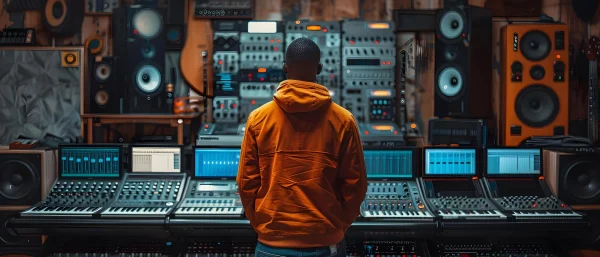
Accurate monitoring tells you the truth about your mix, but professional speakers require an acoustically perfect room to work. If you are working in a bedroom, expensive monitors will actually lie to you because the sound bounces off the walls. Open-back headphones are a much better investment for a budget studio. Models like the Sennheiser HD 600 allow air to move through the ear cups, which prevents the pressure buildup that causes ear fatigue. These headphones give you a detailed view of your stereo image and frequency balance regardless of your room's acoustics. They allow you to hear tiny details in your sound design that you might miss on cheap speakers. Using headphones for critical decisions bypasses the need for thousands of dollars in room construction while still achieving a high-quality mix.
DIY Room Treatment and Monitoring Solutions
You do not need professional acoustic panels to improve how your room sounds for recording and mixing. According to a guide by Arendal Sound, large, soft objects like upholstered furniture and thick curtains act as natural absorbers to reduce echoes. The guide also mentions that bookcases filled with varying sizes of books act as diffusers to break up sound waves so they do not bounce directly back into your ears. Avoiding corners with your mixing desk helps prevent the bass buildup that ruins many home mixes. How do I make my room sound better for recording? Focus on breaking up large flat surfaces with porous materials and placing your mixing desk away from corners to minimize low-end build-up. These simple changes cost nothing but significantly improve your ability to hear your work clearly. Treating your space creatively creates a more reliable environment for your daily Sound Engineering and Production tasks.
Software Correction Tools
As noted in an Acoustic Frontiers primer, every home room has frequency response issues that can interfere with a mix, but software correction tools can play a test signal to measure the system's magnitude versus frequency response, and then create corrective filters to match the target output. This flattens the sound so you hear a more honest version of your music. While it does not fix physical echoes, it helps you understand where your room is tricking you. Using these tools alongside your digital audio workstation ensures that your tracks will sound good on a phone or in a club. This extra layer of security is vital for anyone practicing Sound Engineering and Production in a less-than-ideal space. It bridges the gap between a bedroom setup and a professional control room. Combining physical treatment with software correction gives you the most accurate monitoring possible on a very small budget.
Professional Workflow Habits for Home Producers
Speed and organization are the hallmarks of a professional producer. You should not spend the first hour of every session creating tracks and loading the same plugins repeatedly. According to articles from Premier Guitar and Sonarworks, setting up custom templates and presets in your digital audio workstation streamlines your workflow, freeing up creative time so you can begin making music the second inspiration strikes. Your template should include your favorite instruments, pre-labeled tracks, and common routing like reverb sends.
This habit saves you thirty to sixty minutes every time you open a project. It keeps your brain in the creative zone rather than the technical zone. When your workspace is organized, you make better decisions regarding sound design and arrangement. Professionals use these systems to maintain a high output of quality work without burning out. A well-organized session also makes it easier to collaborate with others or return to a project later.
The Importance of Reference Tracks
Comparing your work to a professional release is a vital part of the engineering process. A reference track acts as a North Star, showing you exactly where your mix stands in terms of brightness and bass levels. You can use free analysis tools to look at the frequency spectrum of a hit song and then adjust your own tracks to match that energy. This practice trains your ears to recognize what a radio-ready song actually looks like. It prevents you from over-mixing or adding too much low-end that might sound bad everywhere else. Regularly switching between your mix and a reference track keeps your perspective fresh. This objective comparison is a core part of professional Sound Engineering and Production. It ensures that your final product meets industry standards for clarity, giving your music a fighting chance.
Final Polish and Track Finalization on a Shoestring Budget
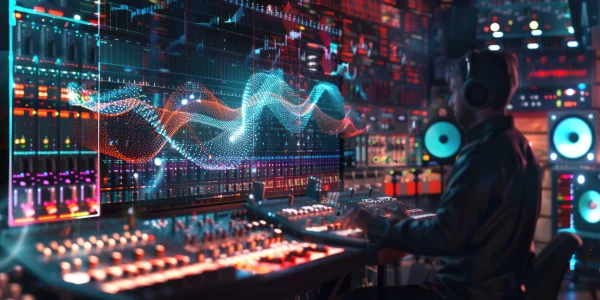
You cannot fix what you cannot see or hear during the final stages of production. Free analysis plugins provide visual feedback on your audio, helping you catch problems that your speakers might miss. A spectrum analyzer shows exactly which frequencies are clashing, while tools like the Loudness Meter in Audition, as detailed by Adobe, evaluate audio using industry-standard LUFS and True Peak values to ensure your track meets streaming standards. These tools are essential for achieving a professional finish without hiring an expensive audio engineer. They give you the data needed to make final tweaks to your sound design and overall balance. Watching the levels of your peaks and the density of your waveforms prevents digital distortion. This technical oversight ensures your music sounds consistent across different playback systems. Using data to support your creative ears is a smart way to maximize your final results.
The "Less is More" Final Chain
A professional final track does not require twenty different plugins to sound good. A simple chain of a transparent EQ, a gentle compressor, and a clean limiter is often enough for most tracks. The EQ removes any remaining mud from the low-mids, while the compressor glues the instruments together. Finally, the limiter brings the volume up to a competitive level without clipping. You must set your True Peak to -1.0 dB to prevent distortion when the file is converted for streaming platforms. This minimalist approach preserves the natural volume changes of your song while giving it the expensive polish of a commercial release. Finalizing the track is about subtle enhancement rather than radical change. When your Sound Engineering and Production is solid, the finalizing stage becomes a quick final check rather than a difficult rescue mission for a bad mix.
Elevating Your Sound Engineering and Production
Professional audio is no longer a luxury reserved for the elite with massive budgets. Today, your creativity and technical understanding matter far more than the size of your mixing console or the brand of your outboard gear. Learning your digital audio workstation and developing a unique approach to sound design allows you to create world-class music in any environment. A small budget forces you to learn the actual science behind every knob and fader, which eventually makes you a much better engineer. You have all the tools you need right now to compete with the biggest names in the industry. The real power lies in your ability to translate emotion into sound using the resources at your fingertips. Commit to the process of learning and never let a lack of gear stop you. True excellence in Sound Engineering and Production starts with your vision.
Recently Added
Categories
- Arts And Humanities
- Blog
- Business And Management
- Criminology
- Education
- Environment And Conservation
- Farming And Animal Care
- Geopolitics
- Lifestyle And Beauty
- Medicine And Science
- Mental Health
- Nutrition And Diet
- Religion And Spirituality
- Social Care And Health
- Sport And Fitness
- Technology
- Uncategorized
- Videos

